Usage
Nearest-neighbor resampling
LocalCov estimates a local covariance matrix from each observation’s
nearest-neighbor neighborhood and draws one synthetic value from the estimated
multivariate normal distribution.
import synloc as s

data = s.sample_trivariate_xyz(1000)
resampler = s.LocalCov(data=data, K=30, n_jobs=1)
synthetic = resampler.fit()
synthetic is a pandas.DataFrame with the same columns as data.
If a variable is constant inside a local neighborhood, that variable is copied
exactly for the synthetic value drawn from that neighborhood.
Use sample_size to request a different synthetic sample size:
synthetic = resampler.fit(sample_size=500)
Cluster resampling
clusterCov clusters the data with KMeans, estimates a covariance matrix
inside each cluster, and draws synthetic observations cluster by cluster.
If a variable is constant inside a cluster, that variable is copied exactly for
synthetic rows generated from that cluster.
import synloc as s

data = s.sample_circulars_xy(1000)
resampler = s.clusterCov(data=data, n_clusters=20, size_min=8)
synthetic = resampler.fit()
Visualization
After fitting, compare one, two, or three variables visually. The figures below
use the LocalCov example:
data = s.sample_trivariate_xyz(1000)
resampler = s.LocalCov(data=data, K=30, n_jobs=1)
synthetic = resampler.fit()
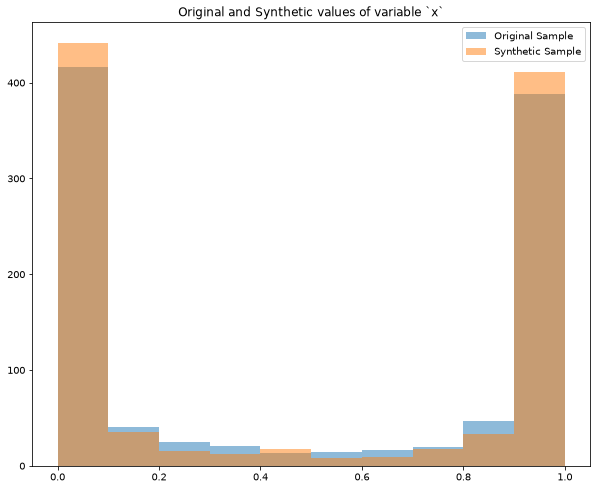
One variable gives overlaid histograms:
resampler.comparePlots(["x"])
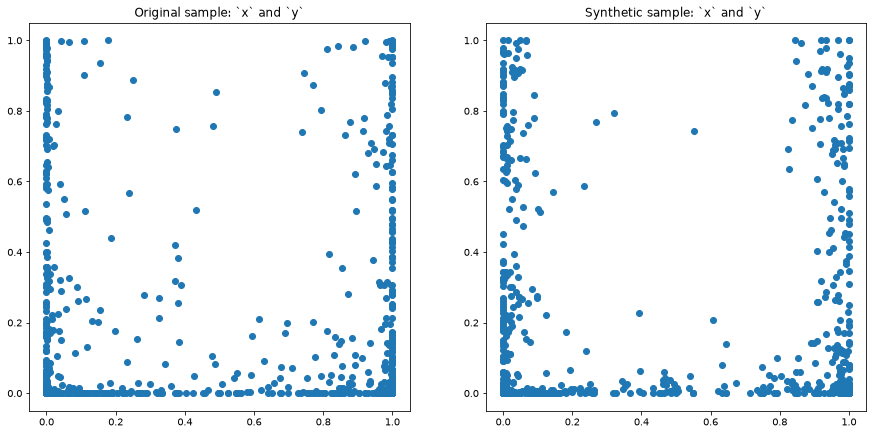
Two variables give side-by-side scatter plots:
resampler.comparePlots(["x", "y"])
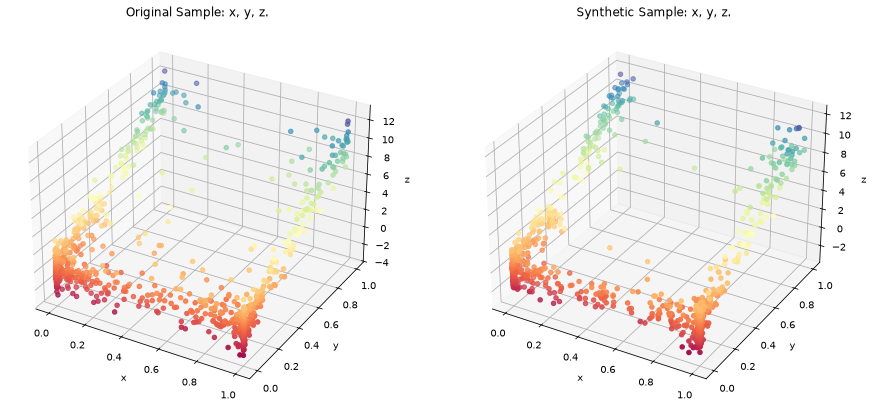
Three variables give side-by-side 3-D scatter plots:
resampler.comparePlots(["x", "y", "z"])
The plotting helper is intended for quick diagnostics. For publication figures, use the returned synthetic data with your preferred plotting workflow.